Account Management
How to Delete Your Account
Follow these steps in the Starloft mobile app to permanently delete your account and all associated data.
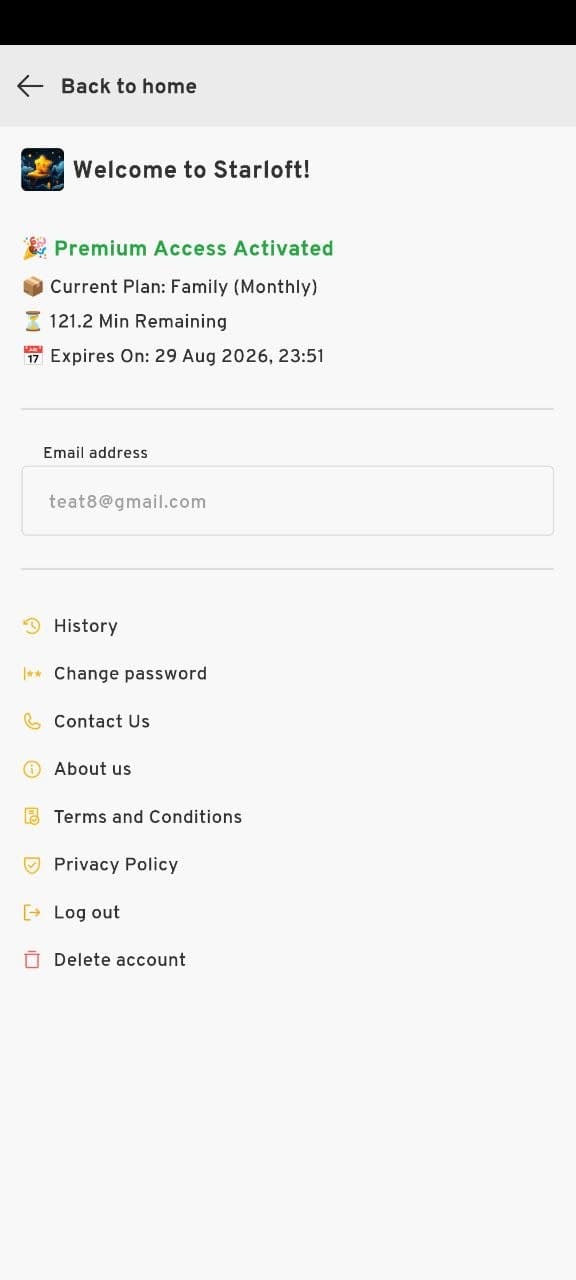
Open your profile menu
Open the Starloft app and go to your profile page. Scroll down the menu and tap Delete account at the bottom of the list.
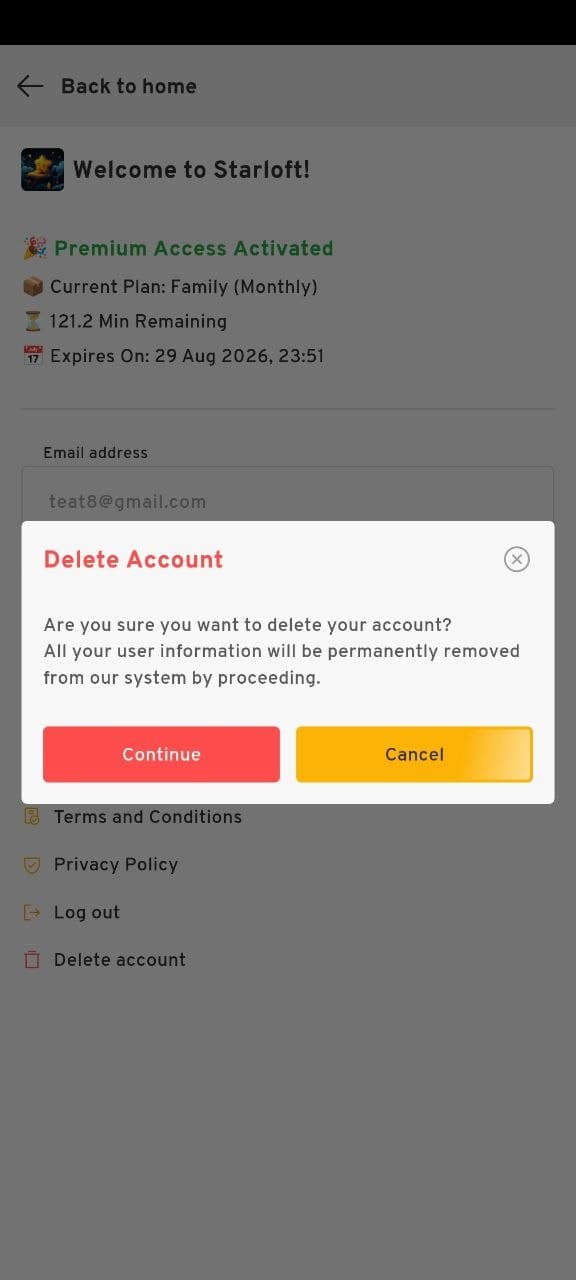
Confirm deletion
A confirmation dialog will appear asking if you are sure. Read the message carefully — all your user information will be permanently removed. Tap Continue to proceed or Cancel to go back.
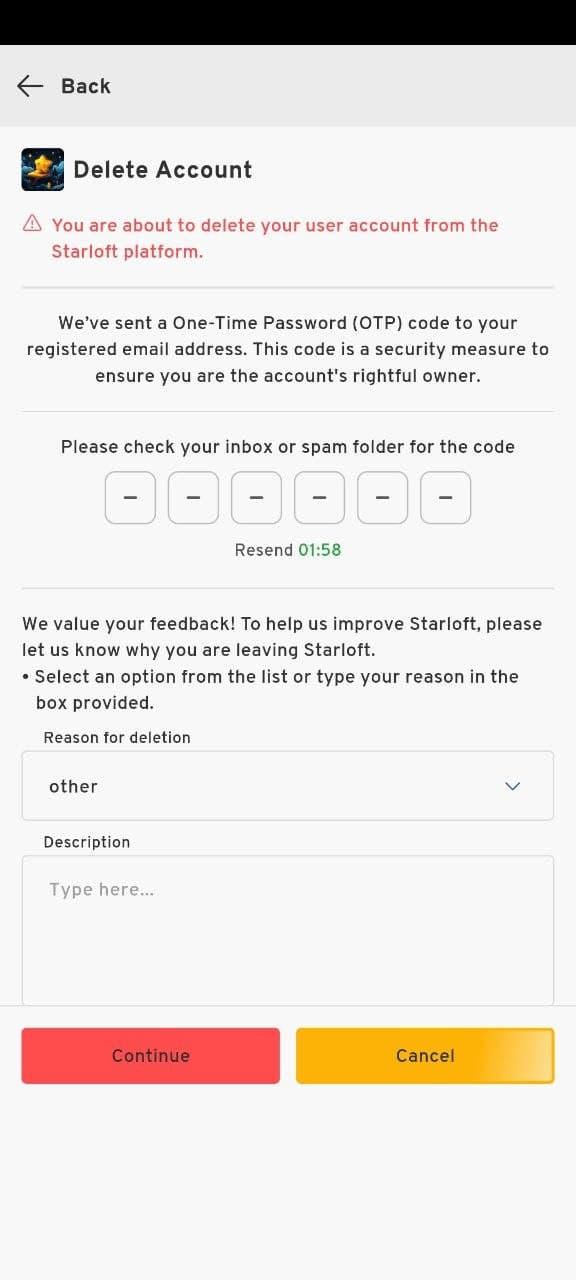
Verify with OTP and submit feedback
Enter the 6-digit OTP code sent to your registered email address. Optionally share why you are leaving to help us improve Starloft, then tap Continue to permanently delete your account.
Need help instead?
If you are having trouble deleting your account or have questions about your data, our support team is happy to help.
Email us at support@stars-loft.com